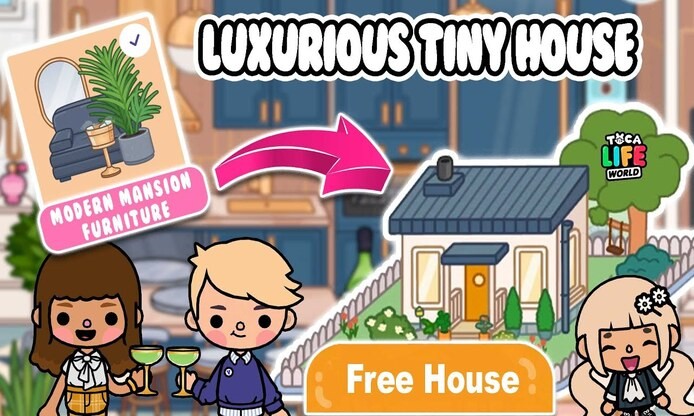
My first Toca Life World house was a disaster. I threw every free item into one room -- a stove next to a toilet, a bookshelf blocking the door, random plants on the floor. It looked like a yard sale exploded. Then my niece showed me how she turned a paper plate into a wall clock and stacked crates into a staircase. That kid built better houses than me using zero paid items. I spent the next three hours learning every free trick I could find, and my second house actually looked like somewhere a person would live.
What Is Toca Life World: Build a Story
Toca Life World is an open-ended sandbox game where you drag characters, furniture, and props around a cartoon town to create your own stories. The free version ships with Bop City -- eight locations including an apartment, a hairdresser, a food court, a shopping mall, and a theater -- plus 39 starter characters and the Home Designer tool. You can build houses, decorate rooms, cook meals, and stage whatever scenes pop into your head. Kids love it. Honestly, adults get hooked too. I know because I am one of those adults.
How It Works
The house-building flow in Toca Life World is drag-and-drop simple, but the depth comes from how you combine free items. Here is the basic loop:
- Open the map and scroll to an empty lot with a build icon.
- Tap the hammer icon, pick a house type, and hit build -- construction finishes instantly.
- Enter the house and start placing furniture from your inventory or from free locations around Bop City.
- Decorate by repurposing items: stack books as shelves, drape blankets as tapestries, turn crates into nightstands.
- Walk characters through the space to test the layout and tweak anything that feels off.

The Home Designer screen where you drag furniture into rooms. The toolbar on the right shows categories like chairs, beds, plants, and decorations.
Key Features
Home Designer Tool
This is where the magic happens. The Home Designer gives you a free house with multiple rooms and an empty canvas. You drag furniture from the inventory bar at the bottom, rotate items by tapping them, and place them anywhere on the grid. No microtransactions required for the basics. I spent an embarrassingly long time just rearranging lamps before I touched anything else.
Free Locations for Scavenging
Bop City is packed with spots where you can grab free items. The Construction Site has walls, floors, and building materials. The apartment comes with furniture you can pick up and carry to your own house. The food court has kitchen equipment. The park has benches and plants. Basically, if you can pick it up, you can move it to your house. That is the whole game -- everything is portable.
Character Creator
You get a free character editor that lets you pick age, skin tone, hairstyle, hair color, eyes, nose, mouth, and outfits. The free wardrobe is solid. I made a version of myself, my niece, and a weird green-haired old man who lives in the attic. You can drag these characters into any house and have them interact with furniture, food, and each other.
Post Office Free Gifts
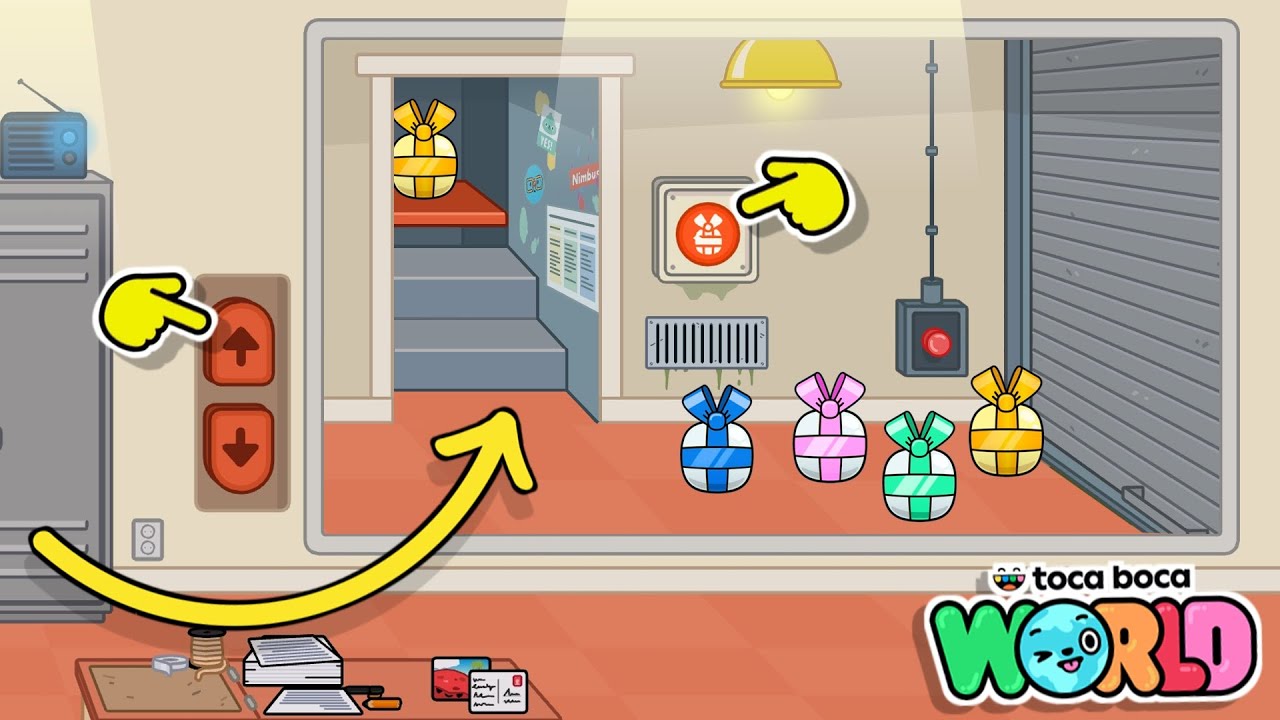
Every Friday, the Post Office gives you a free gift. Could be an outfit, a decoration, a prop, or seasonal furniture. Walk in, tap the red button on the wall, and a gift slides down the conveyor belt. There is also a back shelf with previous gifts you can browse. I check it religiously now. Missing a Friday feels like skipping a paycheck.
Day-Night Toggle
Tap the sun in the top corner and it switches to the moon. The whole map darkens, streetlights flicker on, and your house looks completely different at night. This is not just cosmetic -- it changes how rooms feel when you decorate them. A bedroom with warm lighting at night hits different. I learned that the hard way after spending an hour decorating a living room that looked terrible in the dark.
Item Interactions
Almost everything in Toca Life World reacts when you tap it. The sofa converts into a bed. Food at the food court can be wrapped and unwrapped. Hair dye bottles at the salon actually change your character's hair color. The stove cooks food when you drag ingredients onto it. This means your house is not just decoration -- it is a functional space where characters can cook, sleep, bathe, and live.
App Screenshots

The Bop City map. Each icon is a free location you can enter. The Post Office with the gift box icon is circled.

Step-by-Step Tutorial
Here is the full process I use to build a house from scratch using only free items. I made every mistake in the book so you do not have to.
- Plan your layout first. Decide how many rooms you want and what each one is for -- bedroom, kitchen, bathroom, living room. I skipped this my first time and ended up with a kitchen that had no sink and a bedroom with no door. Sketch it on paper if it helps.
- Find an empty lot and build. Scroll the map to an area with a hammer icon. Tap it, pick a house type from the free options, and hit build. Construction is instant, so you can walk in right away.
- Scavenge free materials. Go to the Construction Site for walls and floors. Visit the apartment for furniture. Check the food court for kitchen gear. Pick up everything you can carry -- it all goes into your inventory and stays there.
- Lay down walls and floors first. Before placing furniture, set the wall colors and floor type. Use the basic palette -- it is free. Soft blue for a beach vibe, warm beige for cozy, or go bold with dark green for a moody study. Trust me, doing this first saves you from moving furniture later.
- Place functional items next. Bed in the bedroom. Stove in the kitchen. Toilet in the bathroom. Bathtub if you can find one. These are the anchor pieces that define each room.
- Repurpose items as decor. This is where the free tricks shine. Stack books to make a shelf. Drag a paper plate onto the wall as a clock. Use a blanket as a wall tapestry. Turn a crate upside down for a nightstand. Arrange sofas sideways to create a reading nook. Every small item has a second life if you think creatively.
- Add plants from the forest. Free plants from the park and forest areas add life to any room. A potted plant on a windowsill. A small tree in the corner of the living room. A row of flowers along the front entrance. These are free and make a massive visual difference.
- Test with characters. Drag a character into the house and walk them through every room. Can they reach the stove? Is the bed accessible? Does the door open into a wall? I have rearranged entire rooms after this step because what looks good on screen does not always work when a character is actually moving through the space.
Use Cases
- Story-driven house: Build a family home with a kitchen for cooking scenes, a living room for movie night, and a bedroom for morning routines. Each room becomes a set for your Toca Life stories.
- Theme house: Go all-in on one vibe -- a beach house with blue walls and shell decor, a haunted mansion with dark walls and spooky props, or a treehouse with plants everywhere.
- Multipurpose space: One room, multiple functions. A studio apartment where the sofa is a bed, the kitchen counter is a desk, and the bookshelf separates the sleeping area from the living area. Perfect when you only have the starter house.
- Party venue: Open floor plan with a food table, a music corner with the record player, and a dance floor. Drag in characters and hit play on the instruments.
- Roleplay school: Convert the house into a classroom. Desks in rows, a chalkboard on the wall, a bookshelf in the corner. My niece does this every time and it keeps her busy for hours.
- Hidden base: A secret room behind a bookshelf, a trapdoor under the rug, or an attic full of mysterious items. The game rewards exploration, so hide stuff for your characters to discover.
Tips & Tricks
- Use the grid tool. It keeps walls straight and rooms evenly sized. Free feature, huge difference. My first house had wobbly walls because I eyeballed everything.
- Leave space for doors. A door that opens into a wall blocks the room. Plan door placement before you cram furniture in. I learned this the hard way.
- Do not clutter. More stuff is not better. Three well-placed items beat twenty random ones. If a room feels cramped, remove half the items. I promise it will look better.
- Repurpose everything. A paper plate is a clock. A crate is a table. A blanket is a tapestry. Books are shelves. Towels are rugs. Once you start seeing items as raw materials instead of their labeled purpose, the free palette becomes enormous.
- Check the Post Office every Friday. Set a reminder if you have to. Weekly gifts add up fast and give you decor items you cannot get anywhere else for free.
- Scavenge systematically. Visit every free location once and pick up everything portable. Then sort your inventory by category -- furniture, kitchen, bathroom, decor, plants -- before you start building. A messy inventory slows you down more than anything.
- Test at night. Toggle the sun to moon and see how your house looks in the dark. Some rooms that look great in daylight become gloomy or boring at night. Adjust lamp placement accordingly.
- Steal ideas from the apartment. The free apartment comes pre-decorated. Study how the game designers arranged furniture, then copy those patterns in your own house. Professional layout, zero cost.
- Layer items for depth. Place a rug on the floor, then a table on the rug, then a plant on the table. Layering creates visual depth that flat layouts lack. The game supports stacking, so use it.
Pros & Cons
Pros
- Completely free to build and decorate with the base version -- no virtual currency needed for basic construction.
- Drag-and-drop interface is intuitive enough for young kids but deep enough for creative adults.
- Every item is portable, so scavenging from free locations gives you a massive free inventory.
- Character Creator adds personal investment -- you are building a home for characters you designed.
- Weekly Post Office gifts keep the free inventory growing over time.
- No ads, no timers, no energy system. You build at your own pace.
Cons
- Free furniture styles and colors are limited compared to paid packs. You will see the same items a lot.
- Scavenging for materials is time-consuming, especially if you want a specific item from a specific location.
- Large mansion-style builds are tough with only free materials. You can make a great small house, but a sprawling estate is hard without paid furniture.
- No undo button. If you accidentally delete a wall or remove a placed item, you have to rebuild or re-fetch it from the source location.
- Inventory management gets clunky once you have picked up dozens of items from different locations.
Alternatives / Comparison
| App | Core difference | Best for |
|---|---|---|
| Miga Town | Similar sandbox town builder with free exploration, but fewer locations and less item interaction. | Kids who want a simpler, lighter version of the same concept. |
| Pepi Super Store | Multi-floor shopping mall sandbox with character interactions, but no house-building tool. | Kids who prefer shopping and store roleplay over home design. |
| Toca Life World | Most content, deepest item interactions, free Home Designer, weekly gifts, and the largest free starter area. | Kids and creative adults who want the most feature-rich sandbox building experience. |
FAQs
Can I build a house in Toca Life World for free?
Yes. The free version includes the Home Designer tool, starter house types, and building materials from free locations like the Construction Site. You can build and decorate a full house without spending real money or virtual currency.
Where do I find free furniture for my house?
Visit the free locations in Bop City -- the apartment, food court, shopping mall, and park all have portable items. Pick them up and they stay in your inventory. You can also repurpose items like crates, books, and blankets as makeshift furniture.
How often does the Post Office give free gifts?
Every Friday. Walk into the Post Office, tap the red button on the wall, and a gift slides down the conveyor belt. The back shelf also holds previous gifts you can browse and claim.
Can I make my own characters to live in the house?
Yes. The Character Creator is free and lets you customize age, skin tone, hairstyle, hair color, facial features, and outfits. You can create entire families and drag them into your house to interact with the furniture.
What is the best free trick for decorating without paid items?
Repurposing. Turn a paper plate into a wall clock, stack books into a shelf, drape a blanket as a tapestry, or flip a crate into a nightstand. Once you treat every item as a raw material instead of its labeled purpose, your free decor options multiply.
How do I toggle between day and night in my house?
Tap the sun icon in the top corner of the screen. It switches to the moon and the entire map darkens. Tap it again to go back to daytime. This is useful for testing how your lamp and window placement looks at night.
Is the free version of Toca Life World enough, or do I need paid packs?
The free version gives you Bop City with eight locations, 39 characters, the Character Creator, the Home Designer, and weekly gifts. That is enough for hours of building and storytelling. Paid packs add more locations and themed furniture, but they are optional expansions, not requirements.
Conclusion
Building a great house in Toca Life World does not require a single paid item. The trick is treating every free object as raw material -- a crate is a table, a blanket is a tapestry, a paper plate is a clock. Plan your layout, scavenge systematically, repurpose creatively, and test with characters before calling it done. The Post Office gifts keep your inventory growing every Friday, so check in weekly. My second house went from yard-sale explosion to something my niece actually asked to play with. If I can figure it out, anyone can. Open the Home Designer, grab everything free you can carry, and start building.
Safety Note and Disclaimer
Our website is a third-party distribution and information site, not the official app store or the app developer.
Download only from a source you trust and verify the source.
Review the permissions the app requests and decline anything that looks excessive.
Keep your device's security settings and antivirus up to date.
Prefer official stores (Google Play) when the app is available there.
This article is an independent overview and is not affiliated with the app's developer.